|
||||||||||||||
Slinga’s 12-Player Disasteroids Goes Online!Back in January of 2023, Slinga released multiplayer mayhem onto Saturn in the form of Disasteroids, a 12-Player Asteroids clone submitted to the 28th Anniversary Game Competition . One of many in a series of 12-Player games that seek to take full advantage of two 6-player SEGA multi-taps, Disasteroids was already a ton of fun and practically an instant homebrew classic upon release. Fast forward just 3 years, and community member, Farkus aka likeagfeld , (with help from multiple SegaXtreme community members and Claude AI) has gone and put the whole thing online. Not only that, but it’s also got support for simultaneous local and online multiplayer, so you can go head-to-head with the buddy sitting next to you in addition to the one sitting several states over! SHIRO! and SegaXtreme Community member MrMxy uploaded a demo showing off Disasteroids online multiplayer on REAL Saturn hardware. “Testing this new homebrew with online multiplayer via Netlink modems. At one point you see two of me because this supports mixing local and online players, with up to 12 total (eat shit, Saturn Bomberman).” -MrMxyDisasteroids NetLink – Online MultiplayerDisclaimer – Online Netlink functionality has been implemented with assistance of AI (Claude).Disasteroids now supports online multiplayer via the Sega Saturn NetLink modem. Up to 12 players can connect to a central server and play cooperatively or competitively over the internet. Features
How to ConnectSelect ONLINE from the title screen Enter your name on the character grid (D-pad to move, A/C to select, B to cancel) The Saturn dials out via the NetLink modem to the bridge server Once in the lobby, press Start to toggle ready; press A to start the game when all players are ready Use L/R to add/remove bots, X to cycle bot difficultyLobby Controls
Online Setup — DreamPiIf you have a DreamPi (Raspberry Pi with USB modem for retro online gaming), you can replace its default netlink handler with the one in this repo to route Disasteroids dial codes to the game server. Copy tools/dreampi/netlink.py to your DreamPi, replacing the existing file:sudo cp tools/dreampi/netlink.py /opt/dreampi/netlink.py Copy tools/dreampi/config.ini to your DreamPi:sudo cp tools/dreampi/config.ini /opt/dreampi/config.ini Edit /opt/dreampi/config.ini if you need to change the server host/port (defaults point to saturncoup.duckdns.org:4822 ) Restart DreamPi:sudo systemctl restart dreampiThe config.ini maps dial codes to game servers. When the Saturn dials #778# , the DreamPi routes the connection to the Disasteroids server. The netlink.py handles modem negotiation, authentication via shared secret, and creates a transparent TCP tunnel. Online Setup — PC (No DreamPi)If you don’t have a DreamPi, you can connect a USB modem directly to a PC and use bridge.py : Connect a Hayes-compatible USB modem to your PC Connect the modem to the Saturn NetLink via phone cableWindows (easy): Double-click tools/netlink_bridge/start_bridge.bat It will auto-install pyserial if needed, list your COM ports, and prompt you to pick your modem That’s it — the bridge connects to the Disasteroids server automaticallyLinux / macOS / manual: Run the bridge:cd tools/netlink_bridge python bridge.py –serial-port /dev/ttyUSB0 –server saturncoup.duckdns.org:4822 –secret “SaturnDisasteroids2026!NetLink#Key”The bridge listens for the Saturn’s dial-out, answers the call, and tunnels data to the game server over TCP. Server SetupThe Python game server is in tools/disasteroids_server/ : cd tools/disasteroids_server python dserver.py --port 4822 --bots 2Options:
The server stores a persistent leaderboard in leaderboard.json next to dserver.py . This file tracks wins, best score, and games played per player name across sessions. For production deployment on Linux, a systemd service file is provided: sudo cp tools/disasteroids_server/disasteroids.service /etc/systemd/system/ sudo systemctl daemon-reload sudo systemctl enable disasteroids sudo systemctl start disasteroidsDisasteroidsDisasteroids is a 12-player Asteroids clone for the Sega Saturn. Requires two 6 Player Adaptors for full twelve player support. Requires a modded Saturn or another method to get code running on actual hardware. Build the code with Jo Engine or grab an ISO from releases . Disasteroids was my entry to the Sega Saturn 28th Anniversary Game Competition . Screenshots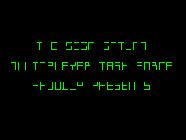 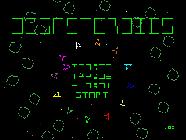 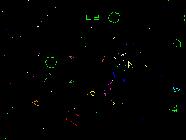 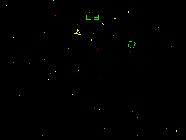 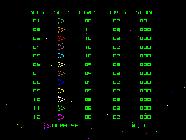 How to Play
Game Controls
Player One Special CommandsOnly player one can:
BurningOn Linux I was able to burn the ISO/CUE + WAV with: cdrdao write –force game.cue. BuildingRequires Jo Engine to build. Checkout source code folder to your Jo Engine “Projects” directory and run compile.bat (Windows) or ./compile.sh (Linux). The build generates game.iso and a game.cue sheet that references the audio tracks. Important : When running in an emulator, always load game.cue (not game.iso directly) to get CD audio music playback. The ISO alone contains only the data track. CreditsThank you to Reyeme for the disasteroid generation algorithm, advice
|
||||||||||||||